
Bring your attraction to life.
Haunt
|
Escape Room
|
Event
IgorBox connects props, lighting, sound, and triggers in one show-control system. Create your shows in IgorBox Studio, then send them to controllers that run them locally.
Cloud connected. Your show keeps running without internet.
A few of the places you’ll find IgorBox





Try a little IgorBox.
One input. The room comes alive.
A button, motion sensor, pressure pad, or light sensor can set the scene in motion. Lights change. Sound plays. A prop moves at just the right moment.
Any input can trigger shows on any controller, including multiple controllers at once over your local network. Build the sequences in IgorBox Studio, send them to your controllers, and let the hardware run the show.
Give operators hands-on control with a trigger board: an on-screen panel for launching shows and activating logic.
Explore IgorBox StudioOne button. Two controllers.
Press the button and watch the sequence.
Interactive example
Button input
Starts both shows
RGB light
LED Controller
Off
Candle light
LED Controller
0%
Solenoid
Output Controller
Retracted
RGB light
Color group
Candle light
PWM · brightness
Solenoid
On / off
Color stops set the fades. The PWM curve sets brightness. Blocks turn the solenoid on.
Illustrated playback in your browser. Real inputs can start shows on one or multiple controllers over your local network.
The whole system works together. So you can focus on the show.
Connect the experience
Any input can start shows on any controller, or multiple controllers at once, over your local network. Buttons, motion sensors, pressure pads, and light sensors can all become part of the experience.
Build on your existing investment
Adding IgorBox doesn’t mean replacing your whole system. We can integrate with many existing setups, so you can keep compatible equipment and add new capabilities where you need them.
Keep the show running locally
Use the internet to program, deploy, and monitor. Once deployed, shows run on the controllers themselves. An internet outage does not stop local playback.
Make changes without visiting every box
Adjust shows, triggers, and logic in IgorBox Studio. Send updates remotely and check controller health from one place.
Take a walk through Blackwood House.
Follow a guest through the haunt, or click a sensor to try a scare. The final sensor triggers all three controllers and opens the exit.
BLACKWOOD HOUSE · Overhead attraction plan
Swipe across the floor plan to explore. Tap a numbered sensor to play its scare.
Numbered circles are sensors. White dot is the guest. Toggle wiring to see controller connections. Illustrated playback; each controller runs its show locally.
Start with what you want to make happen.
Make a scare land
A sensor starts the sound, lighting, and prop sequence. Fine-tune the timing until the moment feels right.
Make a puzzle respond
Connect buttons and sensors with visual logic. Decide which sequence opens the next part of the experience.
Connect more of your attraction
Add controllers as your installation grows. Manage shows and check controller health in the same IgorBox Studio.
Your idea. A little help making it real.
Build it yourself, or bring us into the project.
From creative concepts and game design to build-out, system integration, and team training, we can help bring your experience to life.
Tell us about your project. We’ll work with you on scope, timing, and the support you need.
Discuss your projectShape the experience
Get creative support developing effects, puzzles, and game flow, from the first idea to the moments your guests remember.
Design the installation
Turn your effect ideas into a practical plan for controllers, connections, and show behavior.
Build out and integrate
Get hands-on help with your build-out, installation, and connecting IgorBox with compatible existing equipment.
Keep what works
You’ve invested in your attraction. We’ll help assess your existing equipment and find ways to integrate IgorBox alongside it. Start with one effect or area and expand at your own pace.
Learn with your team
Onsite and live video training in setup, show programming, and everyday operation.
What do you want to control?
Start with the job your controller needs to do. Every model works with IgorBox Studio, so you can mix and match as your show grows.
See how IgorBox Studio worksHave a custom installation? Tell us about your project
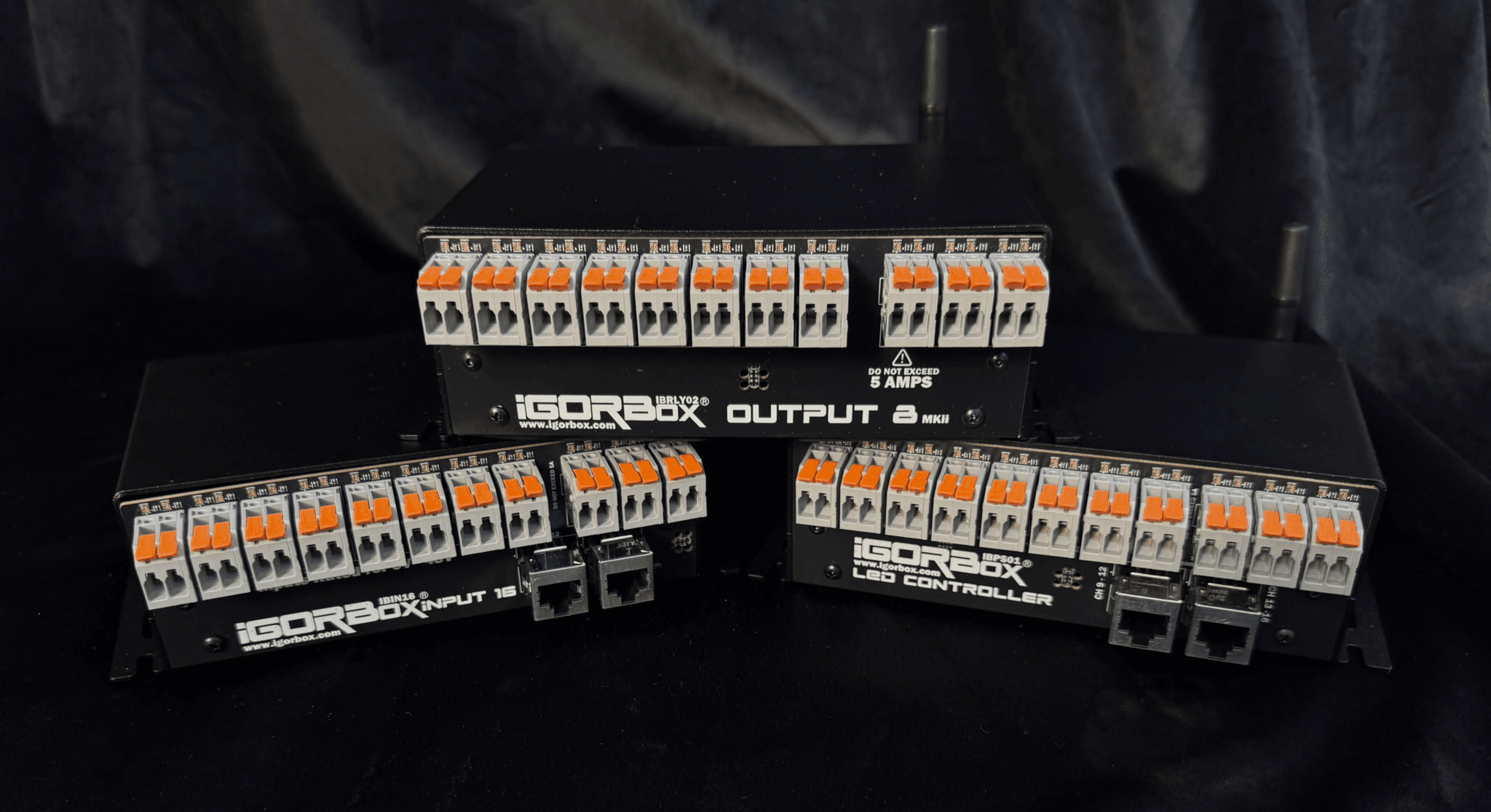
Three controllers. One unified platform.
Purpose-built hardware for outputs, inputs, and lighting; all programmed from the same cloud-connected timeline.
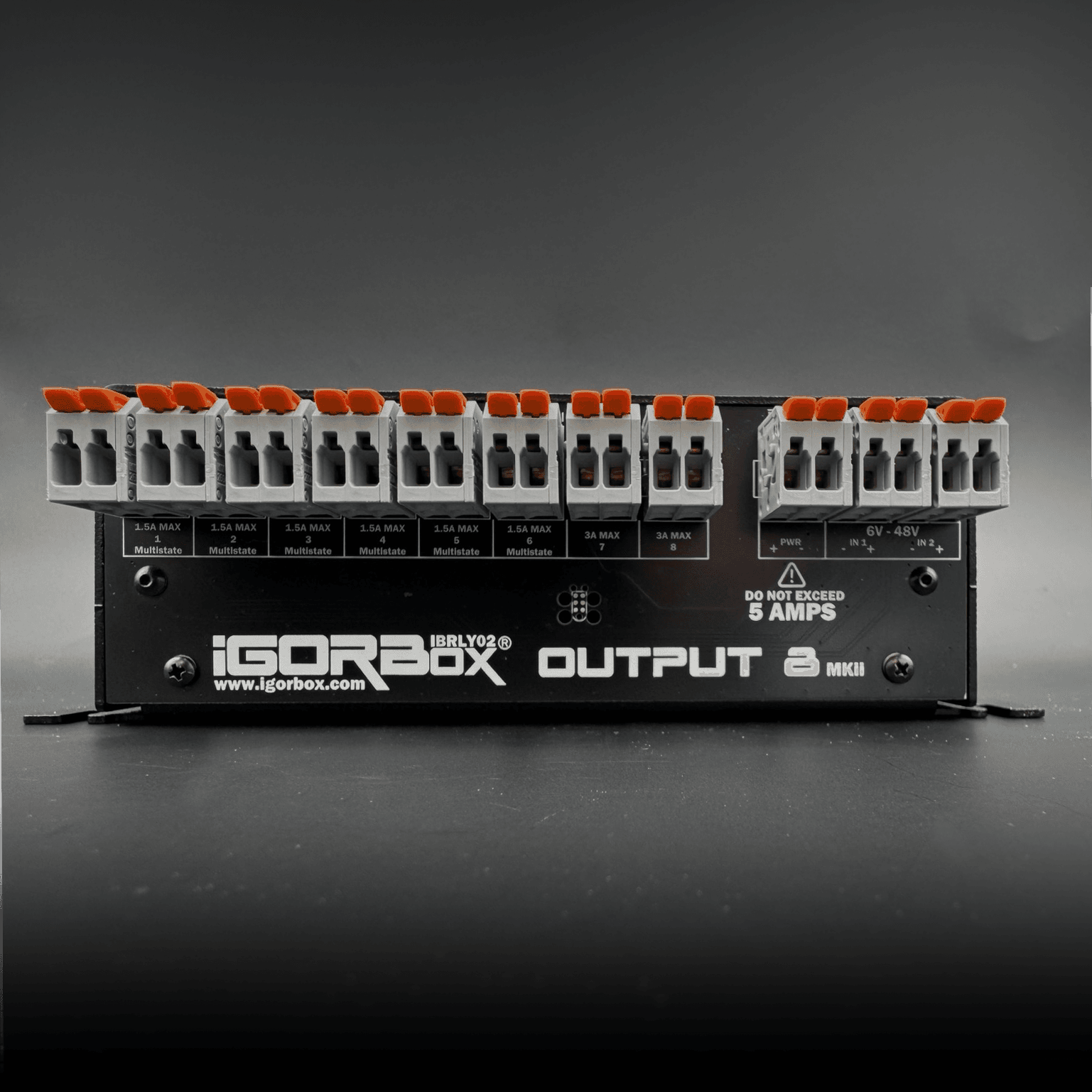
Output 8 MKII
Eight outputs for props and effects.
The next evolution of the Output 8, refined with feedback from our early access testers. Software-configurable Multistate Relay™ outputs let you switch any channel between standard and solid-state on the fly.
6 × 1.5A Multistate Relay™ outputs
2 × 3A standard relay outputs
2 × optically isolated inputs
Easywire™ LED indicators
Ethernet + WiFi, WAGO® connectors
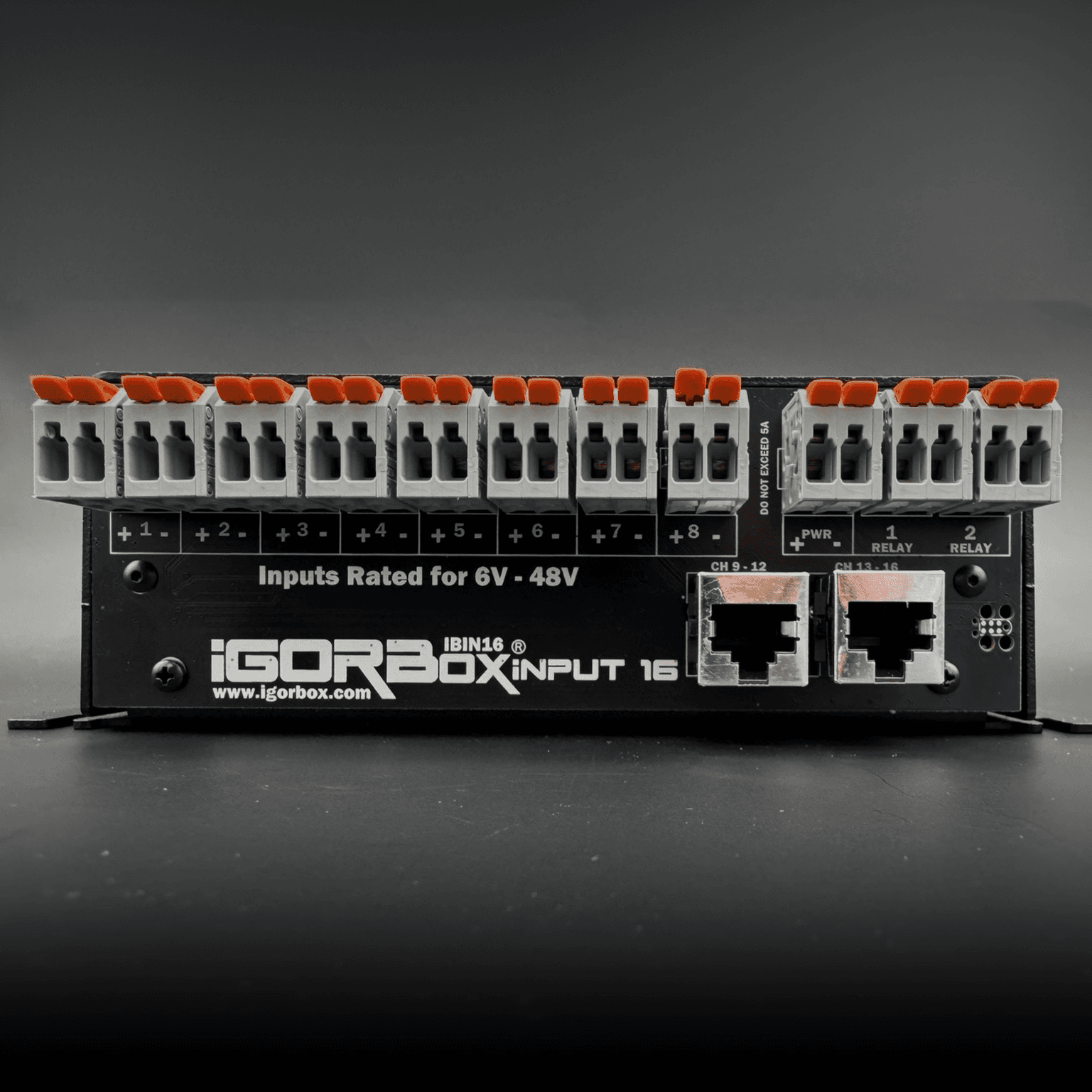
Input 16
Sixteen inputs for triggers and puzzles.
Bring your attraction’s triggers together with sixteen optically isolated inputs. Use the IgorBox Logic Rules engine to build escape room puzzles and interactive games.
16 × optically isolated inputs (6–48V AC/DC)
Remote channel banks (9–12, 13–16) via Ethernet
Easywire™ LED indicators
Dimmable RGB status and channel LEDs
Ethernet + WiFi, WAGO® connectors
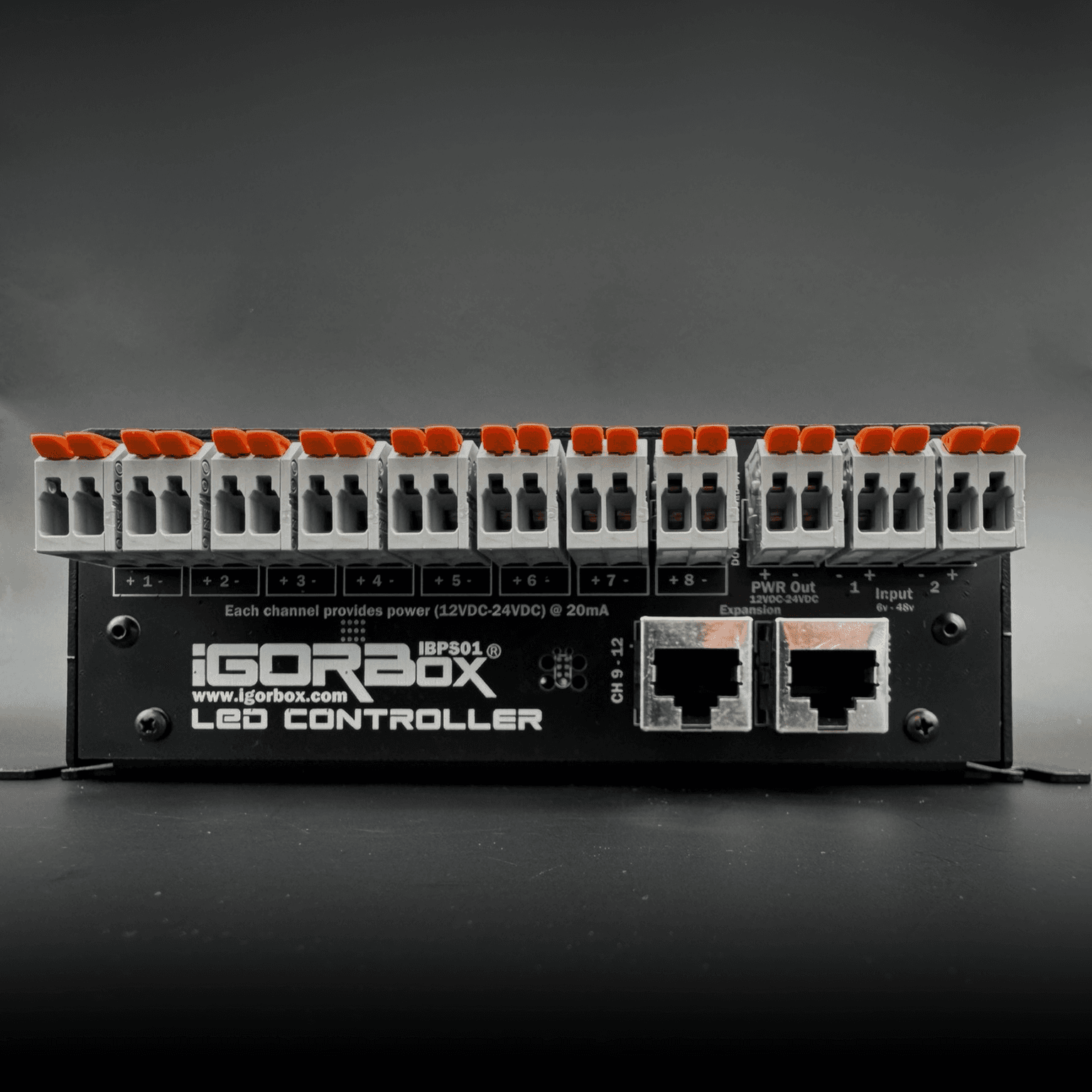
LED Controller
Dimmable lighting for panels and scenes.
Sixteen individually dimmable channels for panel LEDs, pinspots, and escape room puzzle boards. Pair it with our RGBW-PWR breakout to drive up to 120W of lighting or run motor speed control, right from the IgorBox Studio timeline.
16 × dimmable LED channels (12V or 24V DC)
Expandable with RGBW-PWR breakout (up to 120W)
Drives motor speed control
Remote channel banks (9–12, 13–16) via Ethernet
Ethernet + WiFi, WAGO® connectors
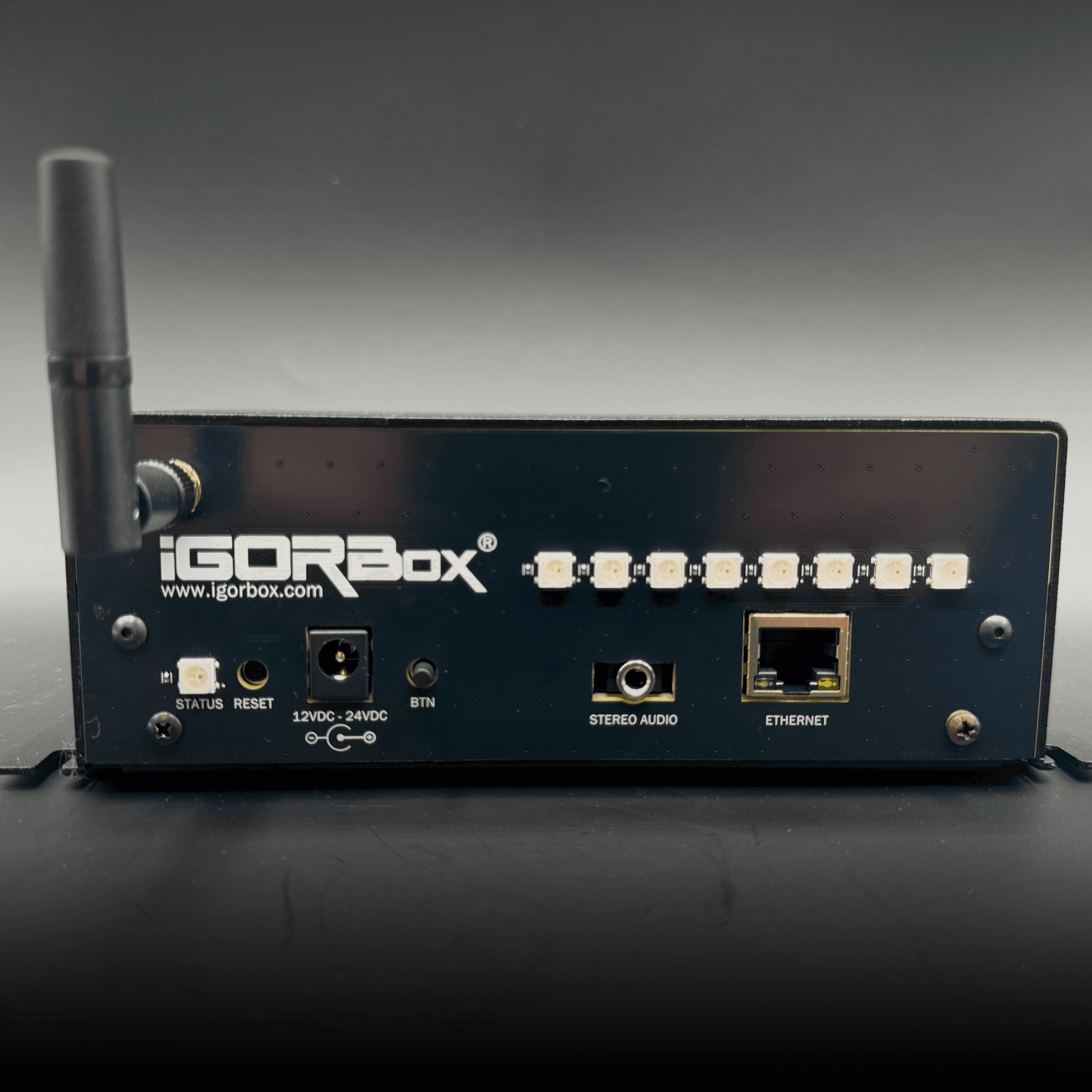
Included with every controller
One front panel, one footprint, one platform. Every controller in the lineup shares the same enclosure, connectivity, audio, and setup experience, so you can mix and match without rethinking your install.
8 × RGB channel indicators on the front
High-quality stereo audio out
Ethernet or WiFi connectivity
WAGO® connectors on every terminal
Magic Provision for easy setup
32GB onboard storage
Easywire™ system for guided wiring
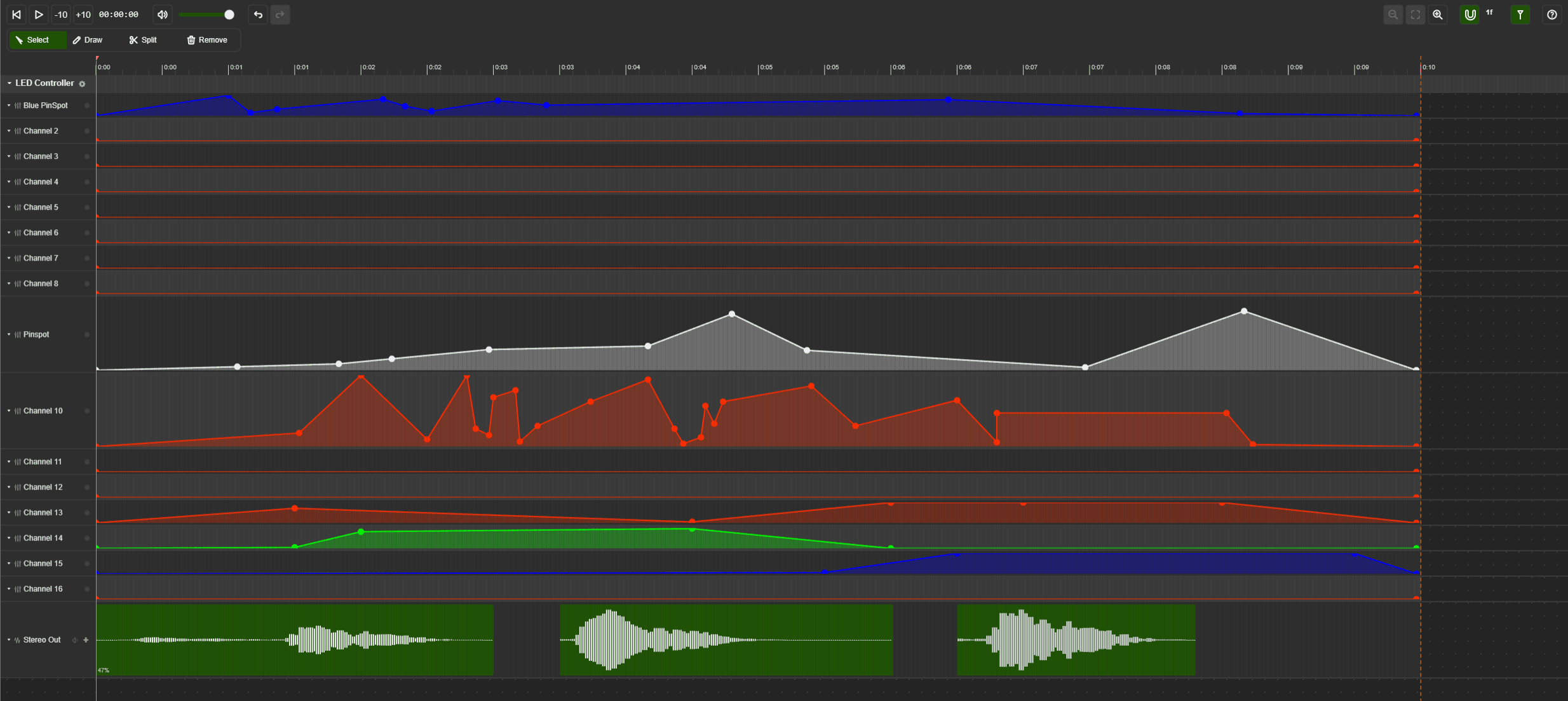
Program your entire show on one timeline.
Arrange relays, dimming (PWM), audio, and LEDs on one frame-accurate timeline in IgorBox Studio. Preview your show, send it to your controllers, and make updates from your laptop or mobile device over the internet.
Frame-accurate playback at 30 frames per second, with live preview.
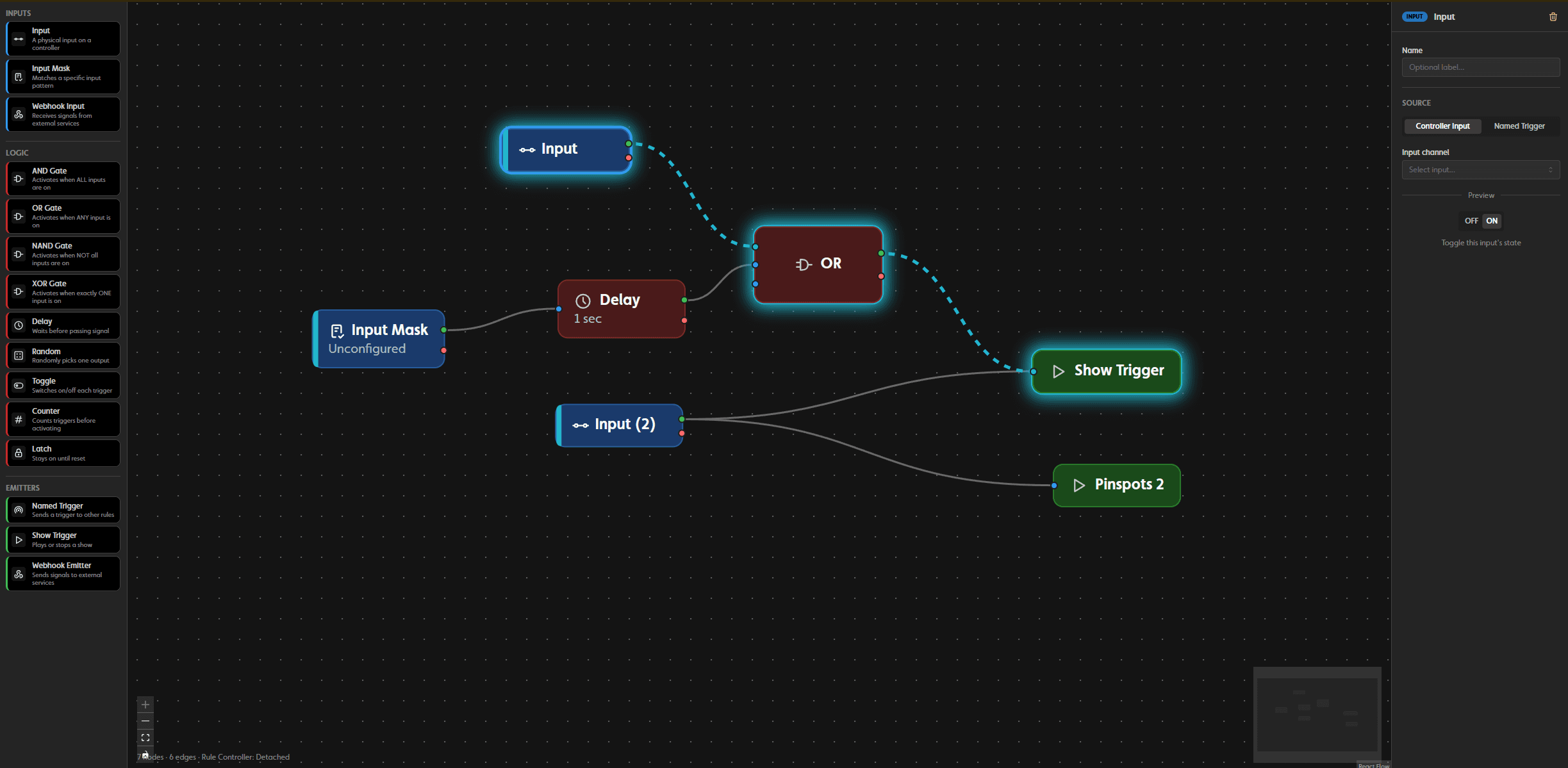
Build immersive puzzle experiences.
Use buttons, sensors, and sequences to trigger shows and connect events across rooms. Add delays, counters, latches, and random logic in a visual editor. No code required.
Drag and connect inputs, logic gates, timers, and triggers.
Wiring, without the guesswork.
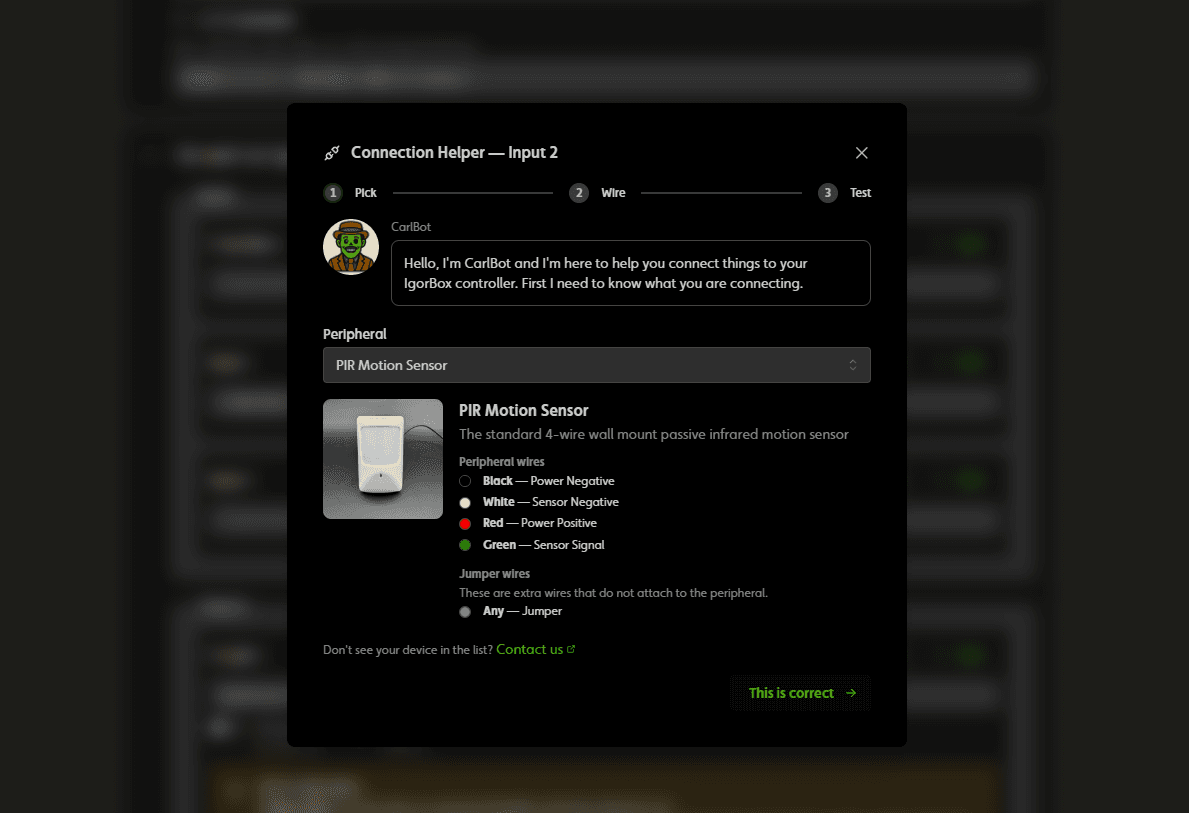
Every IgorBox controller has Easywire™ LED indicators built in. Choose the device you’re connecting in IgorBox Studio, and the indicators light up to show exactly which wire goes in which WAGO® connector. Our library of supported Easywire™ devices is always growing.
Guided wiring for relays, inputs, LEDs, motors, and breakouts.